Protecting high risk users with Advanced Protection
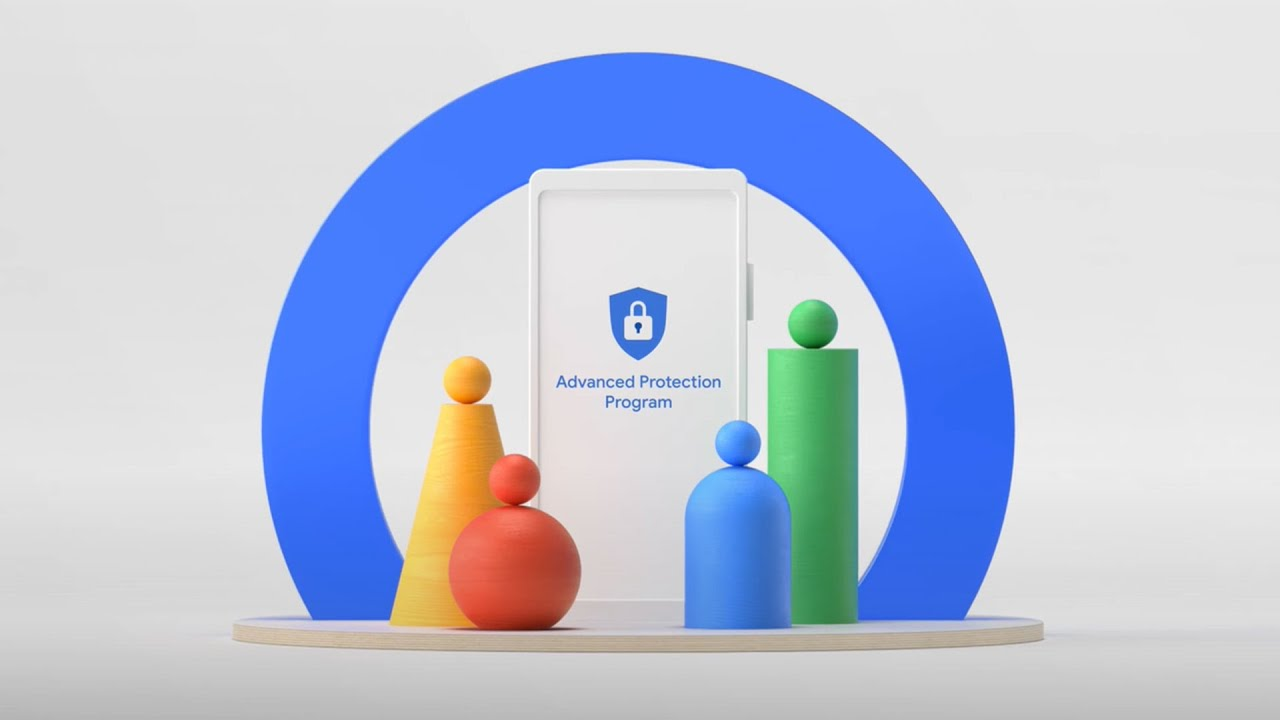
Advanced Protection is Google's strongest security program, built to protect users at highest risk of targeted attacks – such as journalists, politicians, and activists – particularly during critical elections.
How does it work?
When signing in
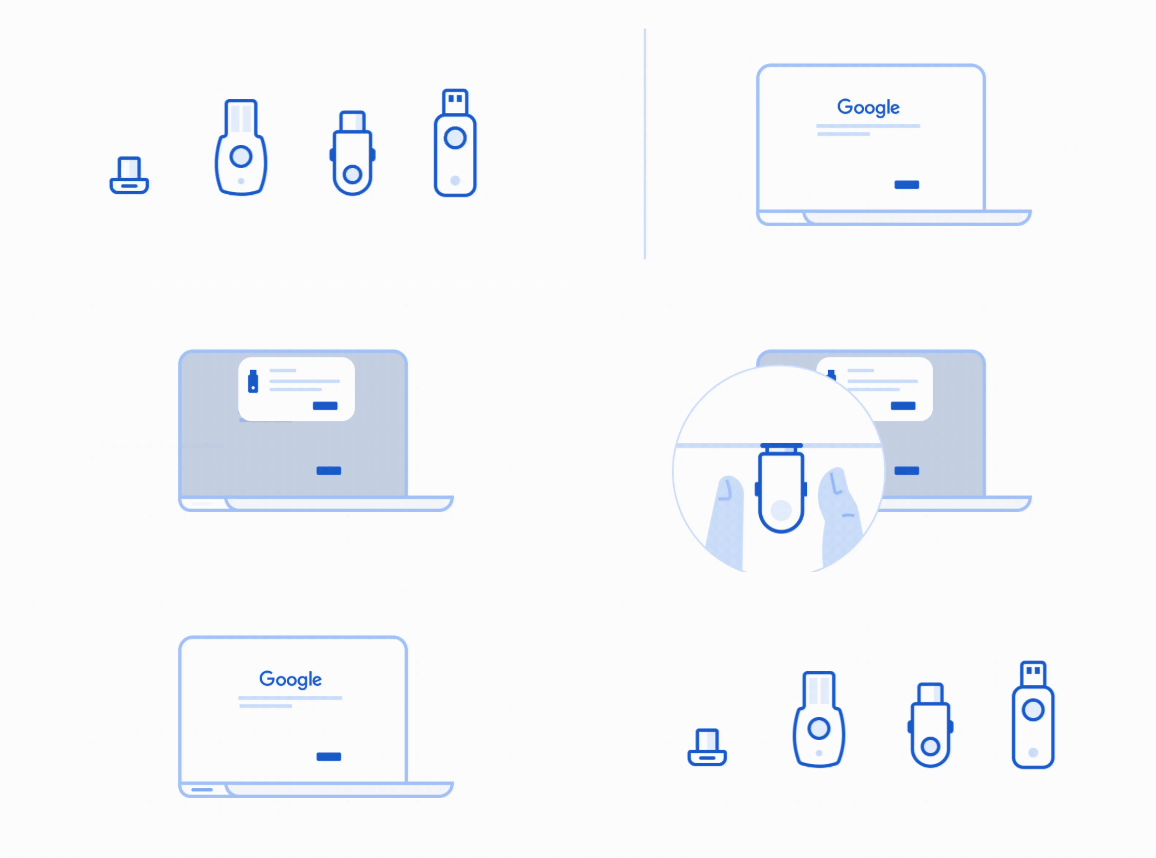
Users were required to use a physical security key to sign in to their account, the strongest form of authentication and the only one proven to be completely resistant to phishing attacks.
While using your account
Additional layers of protection would be applied on the user's behalf, limiting third-party access to your data and blocking most downloads.
A history in Advanced Protection's enrollment
An extremely high barrier to entry
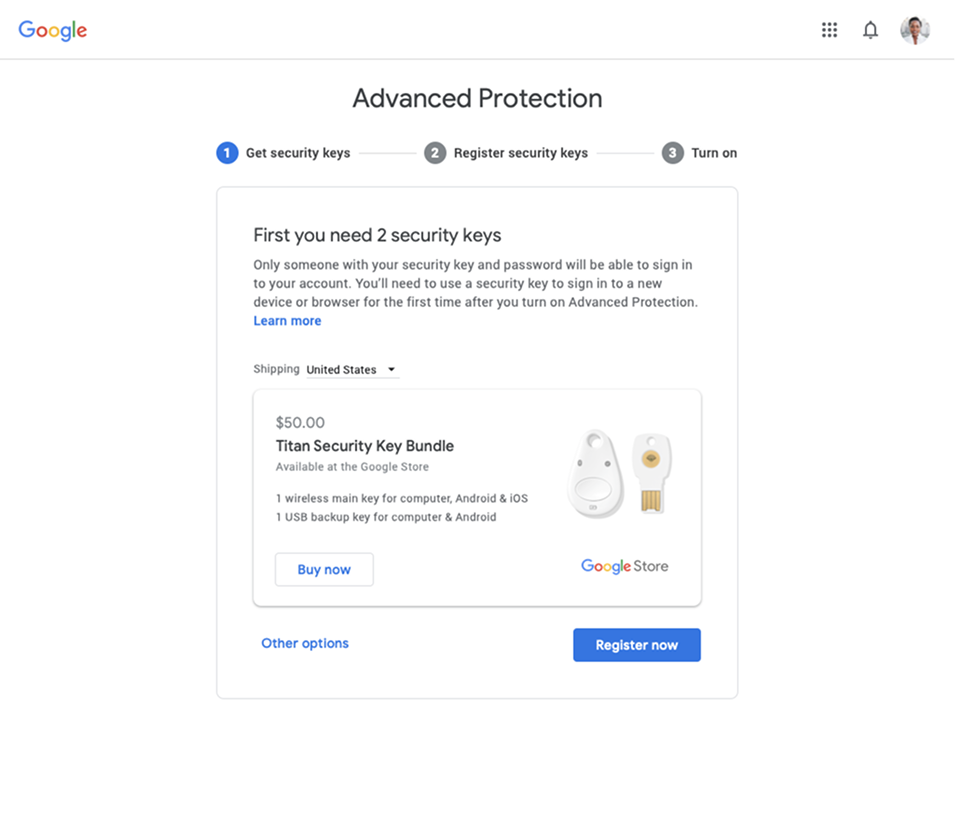
The requirement of 2 physical security keys to enroll in Advanced Protection resulted in a low number of organically enrolled users. But the barrier wasn't just about enrollment numbers. These were users trying to protect their most important personal information: their email, their photos, their documents. The security program designed to help them was itself creating fear and friction, keeping them from the protection they needed. To grow the user base, Advanced Protection relied on partnership programs (e.g. Defending Digital Campaigns) to fund and distribute security keys to specific populations.
2019 | "Instant" enrollment
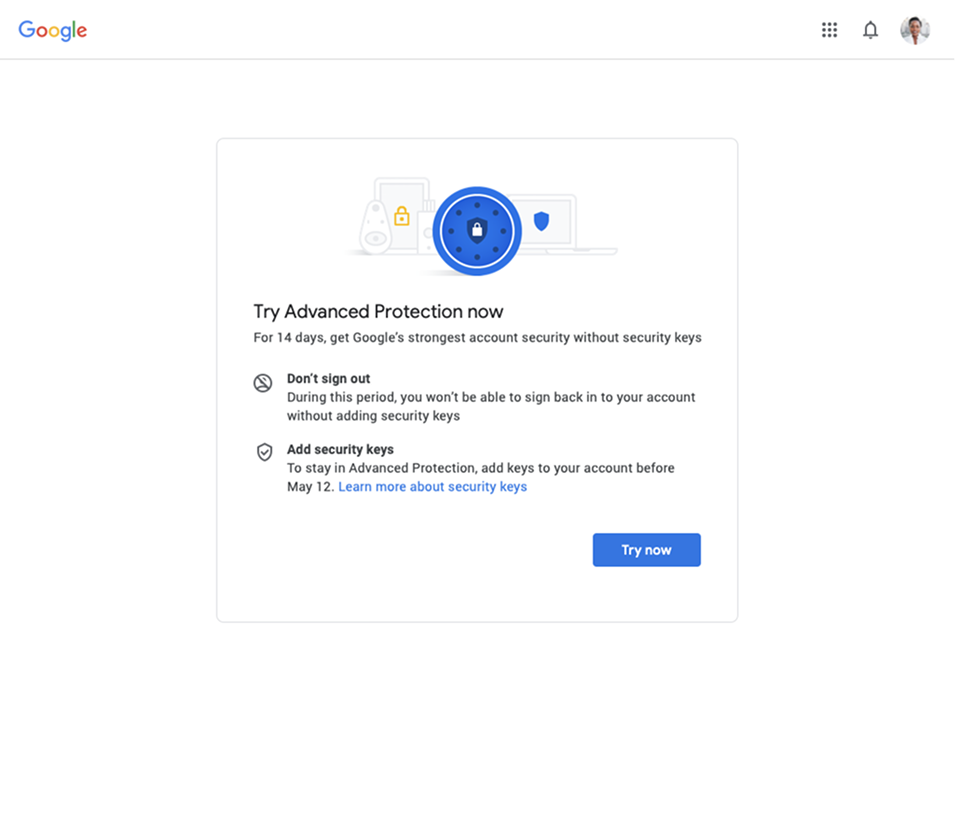
The team's first attempt at lowering the barrier to entry was to offer eligible users a 14-day trial of Advanced Protection without a security key, giving users 2 weeks to purchase and set up a physical key.
Seems simple, right?
Wrong. 97% of users dropped out from the 14-day trial, and a very few percent of them actually re-enrolled later with security keys.
This version was deprecated in early 2020.
January 2020 | "One-click" enrollment
In January of 2020, six months after joining the team, I launched the "one-click" enrollment flow, providing users with the ability to enroll with a new phone-based "built-in" security key we simultaneously launched natively on Android and via the redesigned "Smart Lock" app on iOS.
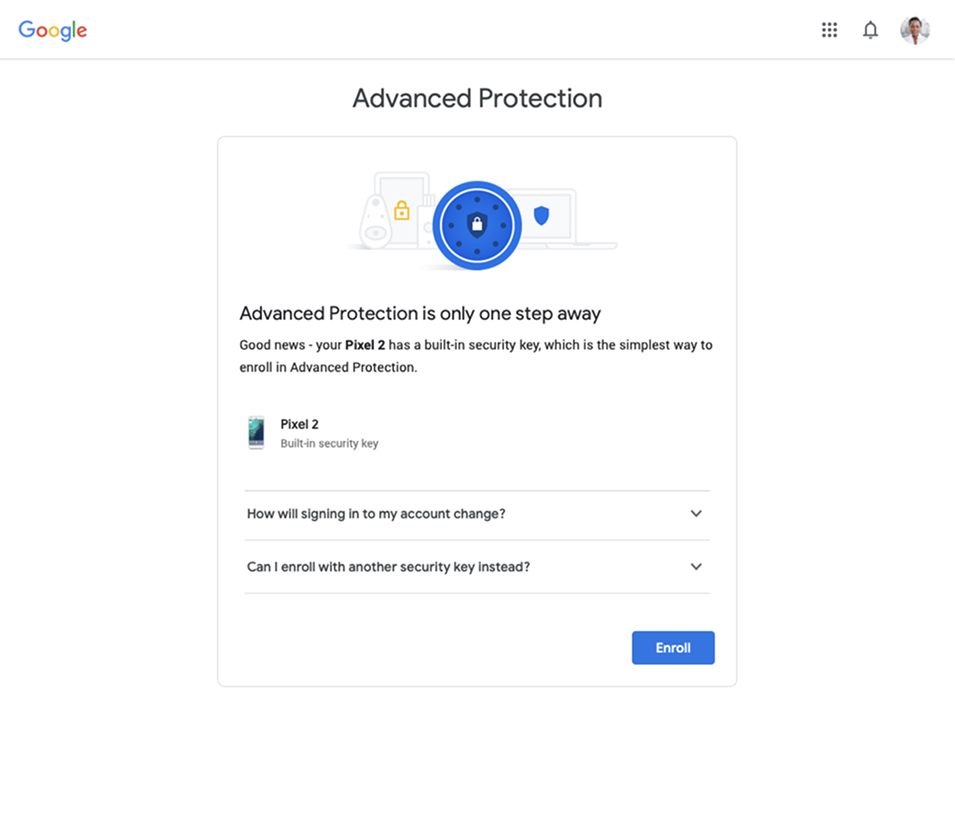
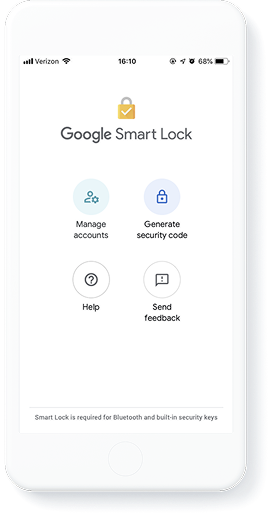
January 2020 | "One-click" enrollment
Enrollments increased by 12x just 2 weeks post launch and we finally surpassed a long awaited 50k enrollment threshold with 60k enrollments 1-month post launch.
However shortly after launch, we found that 72% of our newly enrolled users were getting locked out of their accounts. The security program meant to protect people was locking them out of the very things they were trying to protect: their email, their photos, their personal information. The fear users had about security measures was proving justified.
We paused this enrollment flow 3 months later and ultimately, deprecated it.
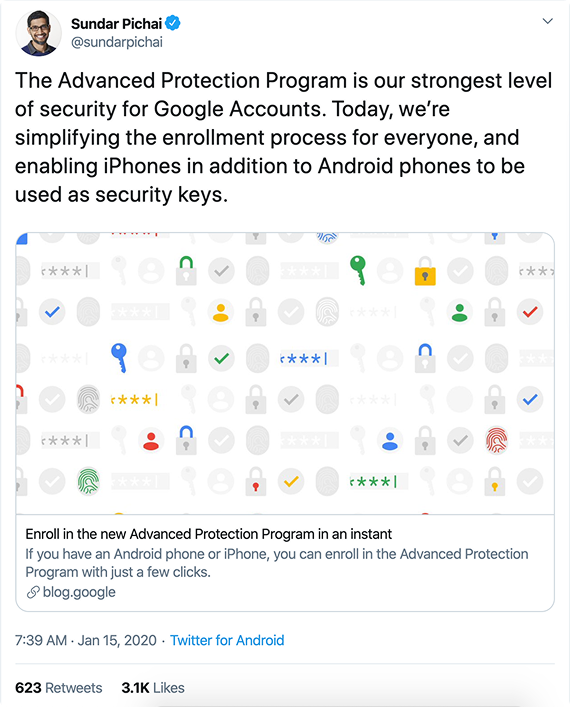
A revised goal
After two unsuccessful attempts, I went back to the fundamental question the team hadn't asked: was requiring security keys the right tradeoff? The data told a clear story. The 97% drop-off showed users wouldn't buy hardware. The 72% lockout showed that even when we removed the purchase barrier, the security model itself was locking people out of their accounts. I proposed a controversial new approach: remove the security key requirement entirely and design an enrollment that protected users without putting their access at risk.
Lower Advanced Protection's high barrier to entry to sustainably increase enrollment rates, allowing Google to protect more users.
A guided enrollment
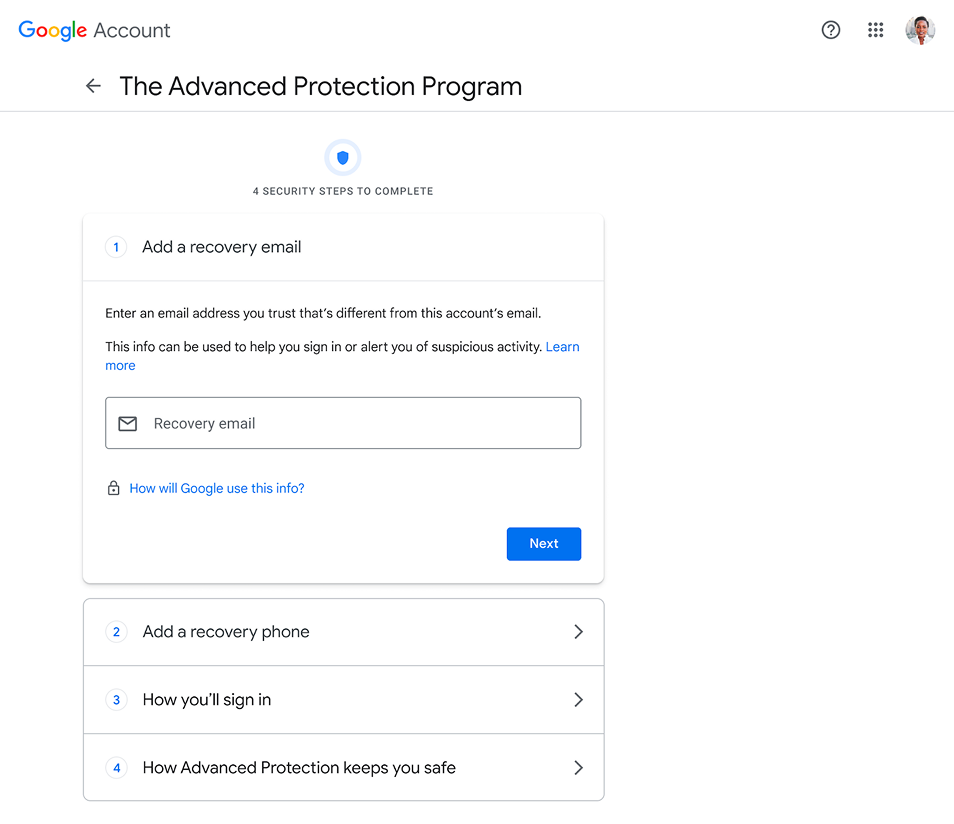
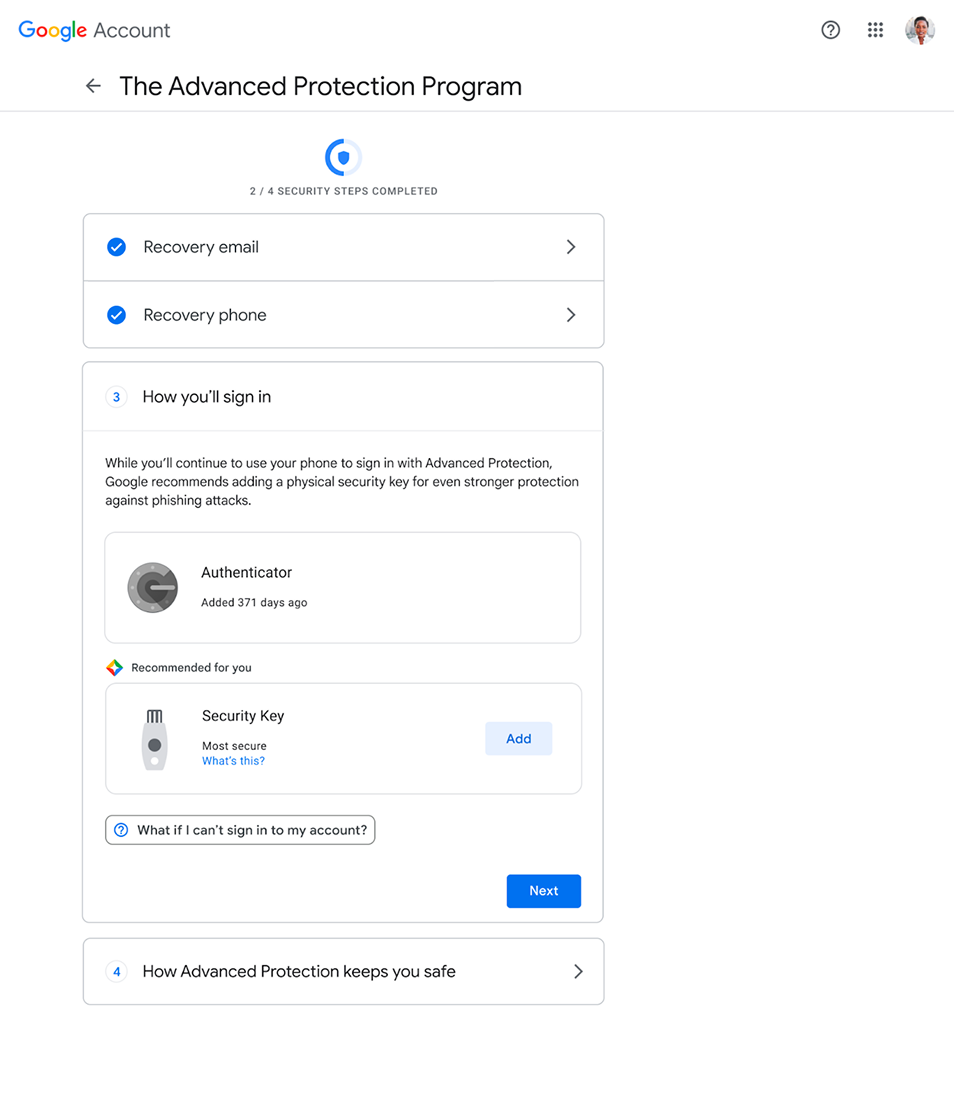
Working closely with my engineers to ensure we maintained a high level of security, I designed a step-by-step, flexible enrollment journey allowing users to leverage non-security key authentication methods like Google Authenticator, which were more commonly used.
Critically, we'd require both a recovery email and phone number. This directly addressed the lockout crisis that killed the one-click enrollment: each recovery method was a safety net, ensuring users always had a path back to their account. Recovery wasn't an afterthought added at the end. It was the foundation the rest of the enrollment was built on.
A win-win scenario
To streamline the onboarding experience, any existing authentication methods (including their recovery email and phone number) would be automatically filled in for the user, allowing them to skip ahead whenever possible.
This building-block model meant each step independently strengthened the user's account. A user who added a recovery email but dropped off before completing enrollment still had better account recovery. A user who added an authenticator but skipped the security key recommendation still had stronger 2SV. Even partial completion left people safer than when they started, and critically, less likely to get locked out.
A final review
The last step before turning on Advanced Protection would be a quick review of additional changes to a user's account once enrolled, such as limiting account access on untrusted apps, and signing users out of some devices that haven't had any recent activity for security purposes.
Clear confirmation and navigation to program settings
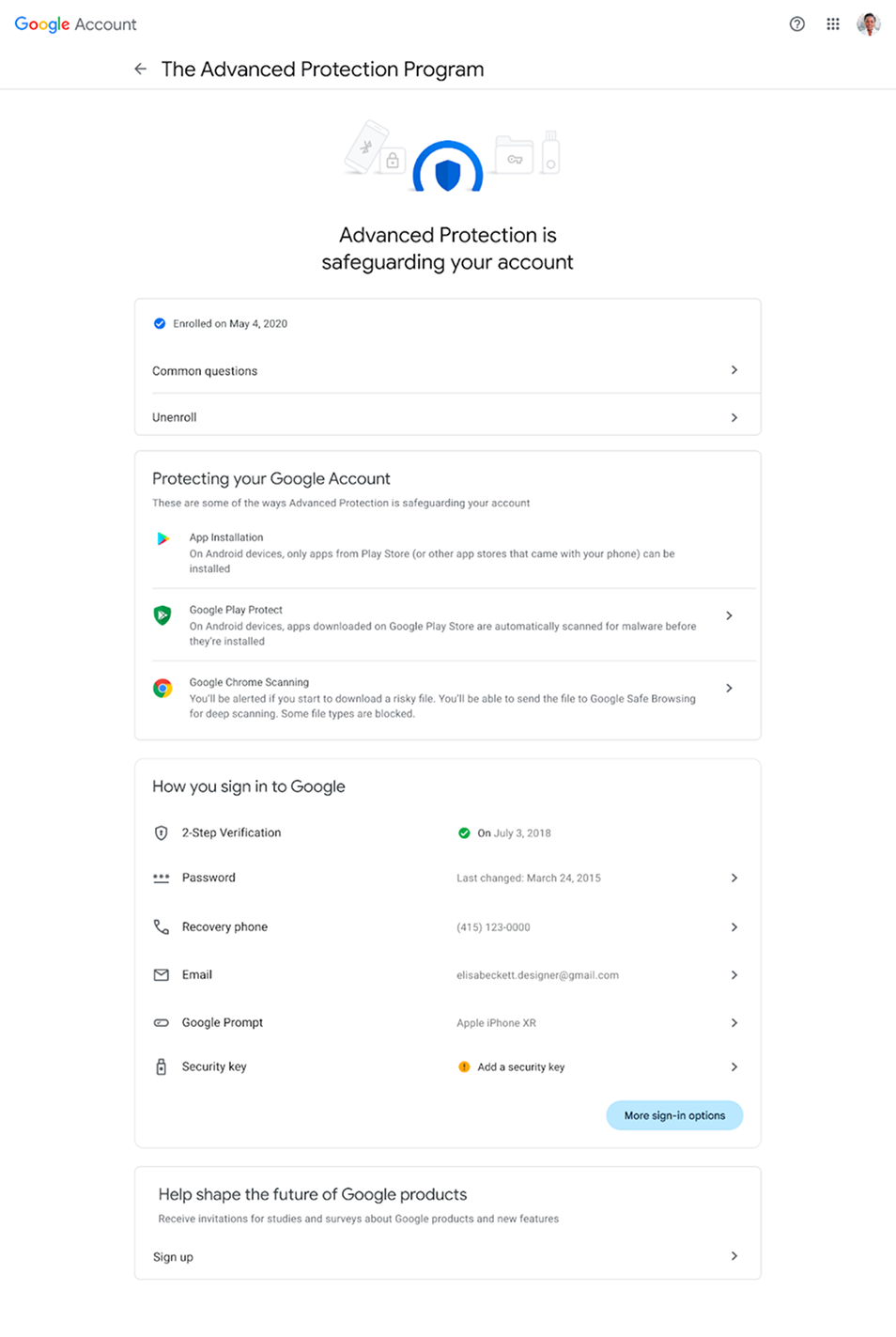
Once enrolled, users land on a new Advanced Protection settings page where they can review the program's benefits and manage their enrollment.
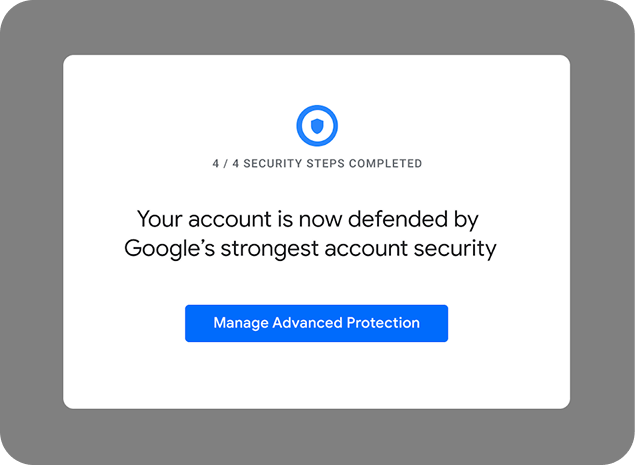
I also introduced a branded progress indicator inspired by the program's new logo, including a blue arch over Google's signature shield, emphasizing Advanced Protection as an extra layer of security. These details reinforced a cohesive account security narrative throughout the experience.
Leveraging existing security tools to further improve a user's security
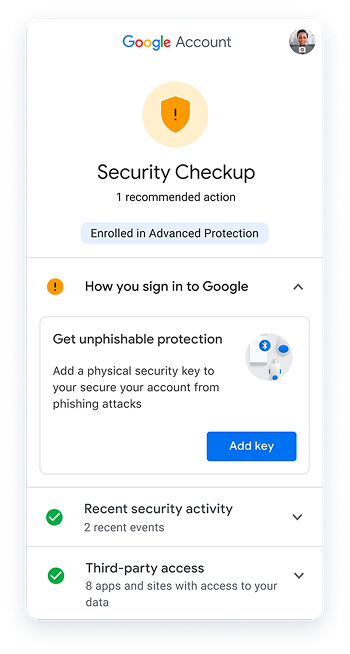
Since security keys would no longer be a requirement, this solution would personalize the users' security experience by recommending security keys to new users who didn't enroll with one via the Security Checkup.
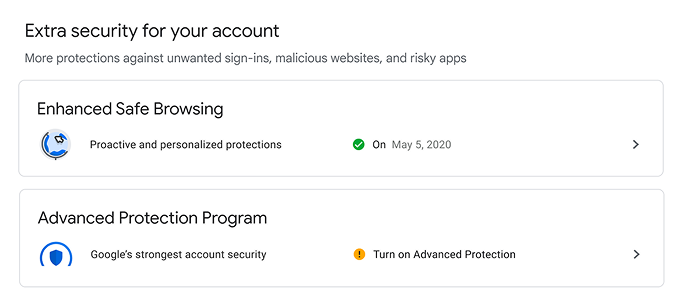
We'd also leverage the Security Checkup to recommend enrolling into the program for users identified as higher risk. These users would see this recommendation either directly on the settings page at the Advanced Protection toggle, or in their advice cards in the checkup.
Project outcomes
After obtaining alignment with my product management and engineering partners, we brought the proposal to the Google Account Security team's cross-functional senior leadership. The concept was approved – a groundbreaking accomplishment given that it went against the program's initial mission to provide unphishable protection to users.
While the full proposal was postponed due to resourcing, core principles I championed like flexible enrollment, recovery requirements, and personalized security recommendations, became foundational to how Google approaches account security today. The 2025 launch of passkey-based enrollment validated my strategic direction: the hardware barrier was the real problem. Passkeys offered a cleaner mechanism than my original proposal, removing the barrier without accepting any phishability, but the technology wasn't mature enough when I was pushing for this change.
The deepest lesson from this work: users aren't afraid of security. They're afraid of losing access to their most important personal information. Every design decision, from the building-block enrollment to the recovery-first approach, was shaped by that insight. Security measures that increase that fear will fail, no matter how technically sound they are.